Encrypt a Viki session on any network, with Kill Switch, leak protection, and no activity logs.
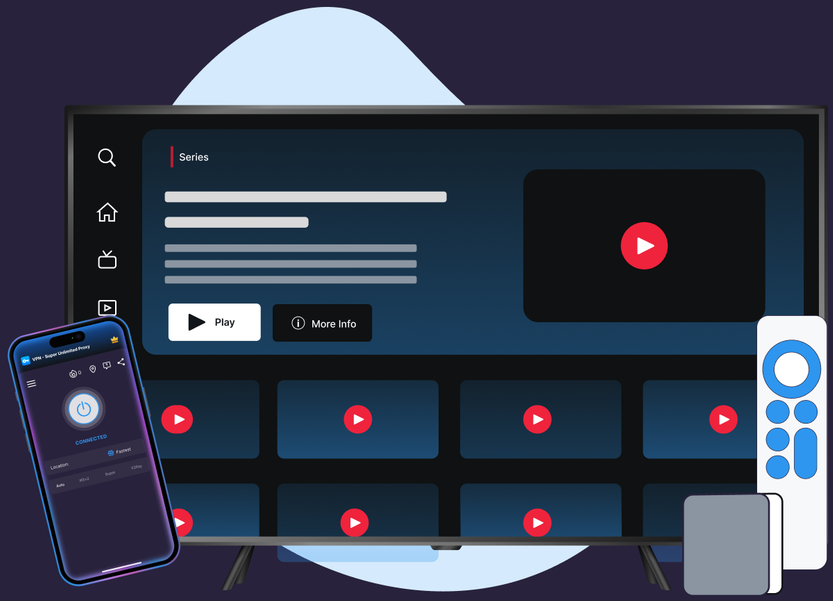
Every layer that keeps a Viki session encrypted and connected.
High-capacity servers keep Viki streams buffering-free during peak drama-binge hours.
Every Viki session runs through an encrypted tunnel, on Wi-Fi, mobile data, or a shared network.
If a connection drops mid-episode, Kill Switch blocks traffic instead of leaking it unprotected.
Premium spans 64 countries/104 locations on iOS, Windows, Mac (58/78 on Android).
Free VPN covers 20 countries on iOS, 15 on Android, the same encrypted tunnel as Premium.
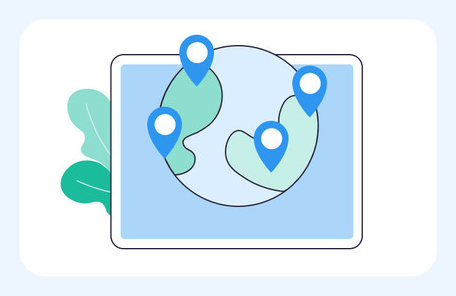
DNS and IPv6 leak protection ships on iOS, Android, Windows, Mac, Apple TV, Android TV.
Start streaming Viki with an encrypted connection in under a minute.
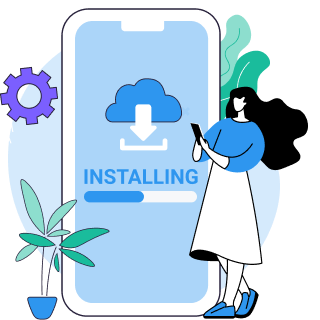
Download VPN Super for a device—native apps for iOS, Android, Windows, Mac, Apple TV, and Android TV.
Open the app and connect to a server. Free VPN and Premium both use the same encrypted tunnel.

If a connection drops mid-episode, Kill Switch (live on iOS and Android) blocks unprotected traffic until reconnected—see VPN Super's Kill Switch.
Viki's library and its response to VPN traffic both come down to policy Viki sets, not a technical wall VPN Super works around.

Like most streaming platforms, Viki licenses shows and movies market by market. A title available in one country's library may not be licensed for another—a decision made by Viki and its content partners, not a technical block.

Viki's own support documentation states its system can detect "a VPN, proxy, or 'unblocker' service" on a connection. This detection is built and operated by Viki, independent of any specific VPN provider.

Viki's Terms of Use prohibit using a VPN, proxy, or similar technology to circumvent its content protection mechanisms. Viki also states that a Viki Pass or Rental purchased while using such a tool may not be honored and is not refunded.
Servers across dozens of countries, engineered for a stable connection.
What changes when a Viki session runs through VPN Super.
| Features | Without a VPN | VPN Super |
|---|---|---|
| Public Wi-Fi privacy | Traffic sits unencrypted on public or shared Wi-Fi | Encrypted tunnel protects every Viki session |
| Kill Switch protection | A dropped connection can expose raw traffic | Kill Switch blocks traffic until reconnected |
| Leak protection (DNS/IPv6) | Real IP can leak through unprotected DNS/IPv6 | DNS + IPv6 leak protection on every platform |
| ISP throttling | ISPs can see and throttle streaming traffic | Encrypted connection limits ISP visibility |
| Devices covered | Each device secured separately, or not at all | Up to 10 devices covered under one plan |
Native apps for every screen a Viki session might run on.

"Amazing app! I've been able to access different applications that were once banned in my region"
"Great VPN with fast speeds and instant connection. Has no timeout and has many locations as well."
"This is one of the best apps you can get if you're trying to access content while travelling internationally."
A VPN encrypts and routes a device's connection, which is useful for privacy on public Wi-Fi and protection against ISP throttling while streaming. Viki's own systems can still flag VPN or proxy traffic under its Terms of Use, so a VPN is not a guarantee of uninterrupted playback.
Viki's support documentation states its system detects "a VPN, proxy, or 'unblocker' service" and that its Terms of Use prohibit using such tools to circumvent its content protection mechanisms. This is Viki's own detection and policy, not something VPN Super can turn off. If the message appears unexpectedly, try reconnecting or switching VPN Super's protocol—connection issues, not deliberate evasion, cause most false positives.
Reconnect to refresh the session, switch VPN Super's protocol from the app settings, and confirm no other proxy or VPN tool is running at the same time. These are connectivity fixes for a false-positive detection, not a way to hide VPN use from Viki's system.
Rakuten Viki is the streaming service's full brand name—a subscription platform for Korean, Japanese, and other Asian dramas and entertainment, commonly referred to as just "Viki."
Viki's content library varies by region because of standard content-licensing agreements, the same way most streaming platforms limit certain titles to certain markets. Availability is a licensing decision made by Viki and its content partners, not something VPN Super changes.
Viki's available library and pricing are set per region by Viki's own licensing agreements regardless of VPN use. VPN Super provides an encrypted, private connection on the network being used; it does not alter which titles are licensed for a given region.
Viki's content library in New Zealand—like any market—reflects the licensing agreements in place for that region. VPN Super's role is a private, encrypted connection, not a change to Viki's regional content licensing.
Most playback issues trace back to a dropped connection, a DNS/IPv6 leak, or a protocol mismatch. VPN Super's Kill Switch (live on iOS and Android) blocks unprotected traffic if a connection drops, and DNS + IPv6 leak protection runs on all six supported platforms to keep the connection consistent.
VPN Super keeps no activity logs, so browsing and streaming activity on the encrypted tunnel is not recorded. Note that Viki's own policy states a Viki Pass or Rental purchased while using a VPN or proxy may not be honored and is not eligible for a refund—that is Viki's stated policy, independent of which VPN is used.
Download VPN Super free, or go Premium for the full 64-country network.